
Choosing the Right Processor and GPU
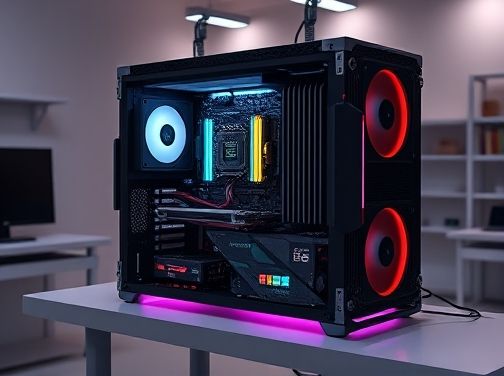
When hunting for a gaming laptop, the processor (CPU) and graphics card (GPU) are the two core components that dictate how smoothly your games run and how long your system will stay relevant. While other factors like display quality and cooling play vital roles, the CPU–GPU duo determines whether you’ll experience buttery‑smooth gameplay or lag‑laden frustration.
Understanding the Basics
The CPU acts as the brain of the laptop, handling everything from physics calculations to AI logic. Modern gaming CPUs are typically 6‑to‑12‑core Intel Core i5/i7/i9 or AMD Ryzen 5/7/9 series. More cores and higher clock speeds translate to better multitasking and faster frame generation.
The GPU is the powerhouse that renders pixels, textures, and effects. Dedicated GPUs from NVIDIA GeForce RTX 30‑series or AMD Radeon RX 6000‑series deliver high frame rates at 1080p and even 1440p resolutions. Integrated graphics—like Intel Iris Xe—can handle casual gaming but struggle with demanding titles.
Key Performance Metrics
- Clock Speed (GHz): Higher frequencies mean the CPU can process instructions quicker, beneficial for single‑threaded tasks common in many games.
- Cores & Threads: More cores allow better multitasking; more threads improve efficiency. A 8‑core/16‑thread CPU often outperforms a 6‑core/12‑thread model at the same base clock.
- Memory Bandwidth (GB/s): Critical for GPUs, as it dictates how fast textures and data can be transferred to the shader cores.
- TDP (Thermal Design Power): Indicates power consumption; lower TDP typically means better battery life but may limit performance if cooling is insufficient.
Balancing CPU and GPU for Your Needs
Choosing a laptop involves matching the CPU and GPU so neither bottlenecks the other. Here’s how to strike that balance:
- Identify Your Game Library: AAA titles like Elden Ring or Cyberpunk 2077 demand strong GPUs, while strategy games like Stellaris lean more on CPU power.
- Set a Resolution Target: For 1080p gaming, an RTX 3050 or RX 6600 offers ample performance. If you aim for 1440p or higher, consider RTX 3060 Ti/3070 or Radeon RX 6800M.
- Consider Future-Proofing: A newer generation CPU paired with a mid‑range GPU can handle upcoming titles better than an older high‑end GPU paired with a dated CPU.
Practical Tips for Decision-Making
- Read benchmark tables comparing real-world frame rates across CPUs and GPUs. Look at 3DMark Time Spy or Unigine Heaven scores.
- Check the laptop’s cooling solution: a powerful GPU can generate significant heat; efficient fans or vapor‑chamber designs keep temperatures in check.
- Verify that the motherboard supports PCIe 4.0 if you’re investing in an RTX 30‑series card, as this ensures maximum bandwidth.
Conclusion
In essence, a balanced CPU–GPU pairing tailored to your resolution and performance goals is crucial for a satisfying gaming experience. Prioritize the GPU for visual fidelity at higher resolutions, but don’t overlook the CPU’s role in overall system responsiveness. By aligning these two components with your gaming habits, you’ll ensure that your laptop delivers both present enjoyment and future longevity.
What to Look For When Choosing a Gaming Laptop
Screen Quality, Refresh Rate, and Resolution
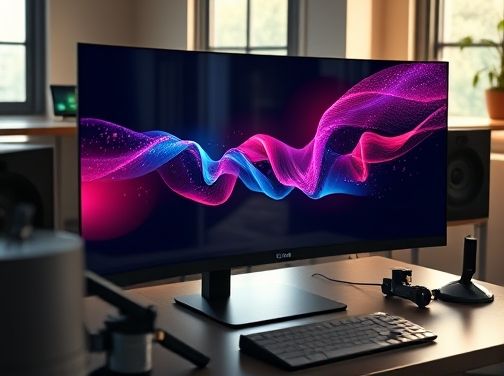
A gaming laptop’s display is the window through which you experience every pixel of your favorite titles. While processor speed, GPU power, and cooling systems are crucial, the screen is often what determines whether gameplay feels smooth or sluggish. Three interrelated factors—screen quality, refresh rate, and resolution—work together to shape that visual experience.
Screen Quality: Color Accuracy and Panel Type
The first thing to evaluate is color accuracy. Gaming laptops commonly use either TN (Twisted Nematic), IPS (In-Plane Switching), or OLED panels. TN panels deliver the fastest response times but suffer from limited color gamut and narrow viewing angles. IPS panels offer richer colors, better contrast ratios, and wide-angle performance—ideal for immersive storytelling and competitive shooters where every detail counts. OLED displays take it a step further by providing near-infinite contrast with true blacks and vibrant hues, though they may be pricier and susceptible to burn‑in over prolonged static usage.
Next consider the brightness level. A minimum of 300 nits is recommended for indoor gaming; 400–500 nits become essential if you often play in brightly lit environments or outdoors. High brightness ensures that highlights remain vivid and reduces eye strain during extended sessions.
Refresh Rate: How Smooth the Action Looks
The refresh rate, measured in hertz (Hz), indicates how many frames the screen updates per second. Traditional monitors run at 60 Hz, which is adequate for casual play but can feel choppy in fast-paced shooters or racing games. Gaming laptops typically offer 120 Hz or higher; some premium models even support 144 Hz, 240 Hz, or adaptive technologies like G-Sync and FreeSync.
- 60 Hz: Acceptable for story-driven titles but noticeable lag in competitive games.
- 120–144 Hz: A sweet spot that balances performance with visual fluidity; most modern GPUs can sustain these rates on mid-range settings.
- 240 Hz+: Ideal for eSports enthusiasts who need microsecond reaction times; requires a powerful GPU to maintain high frame rates.
Higher refresh rates translate directly into smoother motion, reduced motion blur, and more responsive controls. They also lower the likelihood of tearing—when frames are displayed out of sync—if paired with variable refresh technologies.
Resolution: Pixel Density and Detail
Resolution defines how many pixels a display contains horizontally and vertically. Common gaming laptop resolutions include:
- Full HD (1920×1080): The most common choice, offering a good balance between performance and clarity.
- Quad HD (2560×1440): Provides sharper images and more workspace without demanding as much GPU power as 4K.
- Ultra HD / 4K (3840×2160): Delivers the finest detail but requires a high-end GPU to maintain playable frame rates.
The pixel density—measured in pixels per inch (PPI)—determines how sharp images appear. A higher PPI means that individual pixels are smaller and less noticeable, which is especially important on larger screens where pixelation can become distracting. For most gamers, a 15‑inch Full HD screen offers sufficient clarity; however, if you plan to use the laptop for both gaming and professional tasks like photo editing, a Quad HD display may be worth the extra GPU investment.
Putting It All Together
When evaluating a gaming laptop’s display, consider how each factor interacts with your specific needs:
- Determine your primary use case. Competitive esports players prioritize high refresh rates; narrative RPG fans might value color accuracy and brightness.
- Match GPU capability to resolution. A 4K display demands a powerful GPU—often more than what mid‑range laptops can comfortably deliver.
- Check panel type for viewing angles. If you often play with friends or watch streams, an IPS or OLED panel ensures everyone sees the same colors.
Ultimately, the best gaming laptop display is one that balances a high refresh rate, vibrant color reproduction, and a resolution that your hardware can comfortably drive. By keeping these three elements in mind, you’ll ensure every pixel on your screen works to elevate your gaming experience rather than detract from it.

Thermal Design and Cooling Performance
When hunting for a gaming laptop that can keep up with the latest titles, one of the most critical yet often overlooked factors is its thermal design and cooling performance. Even the most powerful GPU or CPU will throttle down if it overheats, resulting in lower frame rates, stuttering gameplay, and an overall frustrating experience.
Understanding Heat Generation
Modern gaming laptops cram high‑end components into a space that is only a few centimeters thick. The power draw of discrete GPUs can reach 120 W or more, while CPUs may consume between 35 W to 80 W depending on the architecture. When these components operate at full load, they generate substantial heat that must be efficiently dissipated.
Key Elements of a Robust Cooling System
- Heat Pipes and Vapor Chambers: These are metal conduits that transfer heat from the CPU/GPU to the cooler fins. A larger number or better‑crafted heat pipes can spread thermal load more evenly.
- Fan Configuration: Dual or triple fan setups, often with variable speed control, help maintain airflow while keeping noise levels reasonable. Some manufacturers employ “silent” modes that reduce fan speed during light workloads.
- Vent Placement: Properly positioned intake and exhaust vents prevent hot air from recirculating inside the chassis. Designers who align vents with internal heat sources typically achieve lower temperatures.
- Material Quality: Aluminum or magnesium alloy chassis provide better heat conduction than plastic, helping to draw heat away from critical components.
Thermal Performance Metrics to Check
Before purchasing, look for published benchmarks that cover both idle and sustained gaming sessions. Key metrics include:
- Maximum Sustained Temperature: The peak temperature the GPU or CPU reaches during continuous play.
- TDP (Thermal Design Power): Indicates how much heat the system is engineered to dissipate; a higher TDP usually means more robust cooling.
- Fan Noise Levels: Measured in decibels (dB). A quiet gaming experience often requires a fan that stays below 30 dB during heavy load.
Real‑World Cooling Strategies
Manufacturers employ several techniques to keep laptops cool:
- Active Cooling Enhancements: Some models feature extra cooling pads or built‑in cooling fans that activate only when temperatures rise above a threshold.
- Thermal Management Software: Utilities allow users to set fan curves, monitor temperatures, and even throttle performance if overheating is detected.
- Low‑Profile GPUs: Certain laptop GPUs are specifically designed for thin chassis, with reduced heat output compared to their desktop counterparts.
What This Means for Your Gaming Experience
A well‑designed cooling system translates into several tangible benefits: consistent frame rates, fewer thermal throttling events, and a longer lifespan for internal components. It also gives you the flexibility to push settings higher without fear of overheating.
In short, when evaluating gaming laptops, prioritize models that demonstrate strong thermal management in reputable reviews. A cooler machine is not just about comfort; it’s a prerequisite for reliable performance under pressure.
Battery Life vs. Gaming Performance
When hunting for the ideal gaming laptop, you’ll quickly discover that battery life and raw performance are often at odds. High‑end GPUs and fast CPUs drain power at an alarming rate, which can leave you with a short playtime between charges. Yet, as gamers, we crave uncompromised frame rates, crisp visuals, and immersive experiences. Understanding how these two factors interact—and knowing what to prioritize for your personal use case—is essential.
Why Battery Life Matters
- Portability: A laptop that can last 6–8 hours on a single charge is invaluable when traveling or attending classes. It eliminates the need for constant access to power outlets.
- Convenience: Gaming on the go—whether in cafés, libraries, or while commuting—requires a dependable battery supply. A weak battery can truncate a gaming session mid‑level or during crucial competitive moments.
- Thermal Management: Batteries that run hot can exacerbate heat buildup, potentially throttling CPU/GPU performance to protect internal components.
The Performance Side of the Equation
Conversely, gamers prioritize graphical fidelity and frame rates. A high‑end GPU like an NVIDIA RTX 3080 Ti or AMD Radeon RX 6800M can deliver 120+ FPS in modern titles at 1440p, but it also demands significant power—often pushing a laptop’s battery to its limits.
Performance is not solely about raw specs; it encompasses:
- Refresh rates: A 240Hz display paired with a powerful GPU provides an ultra-smooth experience.
- Ray tracing & DLSS: These features enhance realism but consume extra power.
- Thermal design power (TDP): Laptops with higher TDP CPUs/GPU combinations tend to draw more current, reducing battery endurance.
Finding the Sweet Spot
Striking a balance between performance and battery life requires careful evaluation of several key components:
- Power Management Features: Look for laptops that support adaptive power profiles—such as “Gaming Mode” or “Battery Saver.” These allow you to switch between maximum performance and extended playtime.
- Efficient Cooling Solutions: Advanced heat pipes, vapor chambers, and multiple fans help keep components cool, reducing the need for aggressive throttling that can otherwise shorten battery life.
- High‑Capacity Batteries: 80Wh or larger batteries are becoming more common in gaming laptops. Even with a powerful GPU, a larger capacity can extend runtime by an hour or two.
- Display Power Consumption: OLED panels typically consume less power than equivalent LED displays, especially when rendering darker scenes.
- Component Pairing: Some manufacturers pair mid‑range GPUs with high‑clock CPUs to deliver solid performance while keeping power draw lower than a top‑tier GPU would.
Real‑World Scenarios
If you’re a student who needs a laptop for both coursework and casual gaming, opting for a 16GB RAM model with an RTX 3060 and a 70Wh battery might be ideal. You’ll get respectable frame rates on most titles while enjoying several hours of playtime between charges.
For esports professionals or hardcore enthusiasts who prioritize raw speed over portability, a chassis equipped with an RTX 3080 Ti, 32GB RAM, and a robust cooling system will deliver the best in-class performance—though you’ll need to plug in almost constantly during extended sessions.
Bottom Line
Battery life versus gaming performance is less of a binary choice than it is a spectrum. By examining power management options, thermal architecture, battery capacity, and display efficiency, you can choose a laptop that aligns with your priorities—whether that means longer unplugged sessions or the highest possible frame rates.
Build Quality, Port Selection, and Future‑Proofing
When you’re hunting for a gaming laptop that can keep up with the latest titles and remain useful long after your first console has been retired, three factors stand out: build quality, port selection, and future‑proofing. Each of these aspects determines how well a machine will perform today, adapt to tomorrow’s demands, and protect your investment.
Build Quality
The first thing you’ll notice when opening the lid is the chassis material. High‑end gaming laptops typically use magnesium alloy or carbon fiber, which offer both strength and lightweight characteristics. A robust build reduces vibration during high‑frame‑rate play and improves heat dissipation.
- Thermal Management: Look for a design that incorporates multiple fans, vapor chambers, or even liquid cooling solutions. Effective airflow keeps your GPU and CPU within safe temperature ranges, extending component life.
- Keyboard and Touchpad Build: A backlit mechanical keyboard with good key travel enhances typing accuracy in fast‑paced games. The touchpad should support multi‑touch gestures without lag.
- Screen Quality: IPS panels with high color accuracy, at least a 144Hz refresh rate, and a 120% sRGB coverage are ideal for competitive play and immersive storytelling.
Port Selection
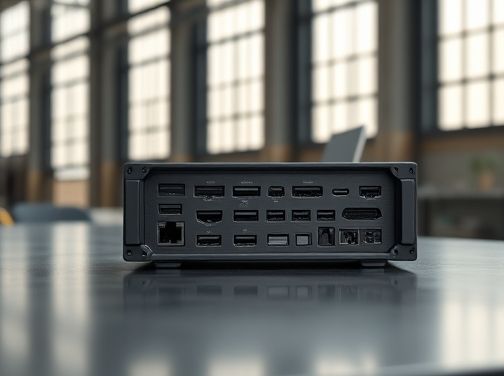
A laptop’s connectivity options directly affect your workflow. Modern gamers often juggle multiple peripherals: external displays, VR headsets, high‑speed storage drives, and sometimes professional audio interfaces. Insufficient ports can force you to rely on adapters, which may degrade performance or add clutter.
- USB-C (Thunderbolt 4): This single port can deliver power delivery, video output, and data transfer at up to 40Gbps. It’s essential for docking stations and future expansion.
- USB-A: At least two USB‑3.2 ports provide compatibility with legacy peripherals such as keyboards, mice, or external SSDs without the need for dongles.
- HDMI / DisplayPort: Dual outputs enable multi‑monitor setups. Look for HDMI 2.1 or DP 1.4 to support 4K at high refresh rates.
- Ethernet (RJ‑45): Wired internet offers lower latency than Wi‑Fi, which is crucial for competitive gaming.
- Audio Jack: A dedicated 3.5mm mic/line combo port remains valuable for streamers and voice chat users.
Future‑Proofing
Investing in a future‑proof laptop means choosing components that can handle upcoming game releases, software updates, and evolving standards.
- CPU & GPU Flexibility: Opt for the latest generation processors (e.g., Intel Core i7/i9 or AMD Ryzen 7000 series) paired with a discrete GPU from the recent RTX 40xx or RX 7000 series. These combinations provide ample headroom for next‑gen titles.
- RAM & Storage: Minimum 16GB DDR5 RAM is standard, but 32GB offers better multitasking and longevity. NVMe SSDs with at least 1TB capacity ensure quick load times and room for large game libraries.
- BIOS & Driver Support: Manufacturers that release regular BIOS updates help maintain compatibility with new hardware standards like PCIe 5.0 or Wi‑Fi 6E.
- Software Ecosystem: Laptops that come with pre‑installed optimization suites (e.g., NVIDIA GeForce Experience, AMD Radeon Software) allow you to tweak settings as games evolve.
In summary, a high‑quality chassis protects your components and improves thermals; comprehensive port selection keeps you connected without bottlenecks; and thoughtful component choices ensure your gaming laptop remains powerful for years. Balancing these factors will let you enjoy the latest titles today while staying ready for tomorrow’s innovations.